
Warzone footstep audio and loadout tools
PCO puts a Warzone audio preset, the current Warzone weapon pool with real builds, and a camo tracker in one Windows app, next to one-click game tuning. Dial in your footstep audio and keep your builds in one place. Results vary by headset.
Windows 10 or 11, 64-bit. Results vary by PC.
A Warzone preset for footstep audio
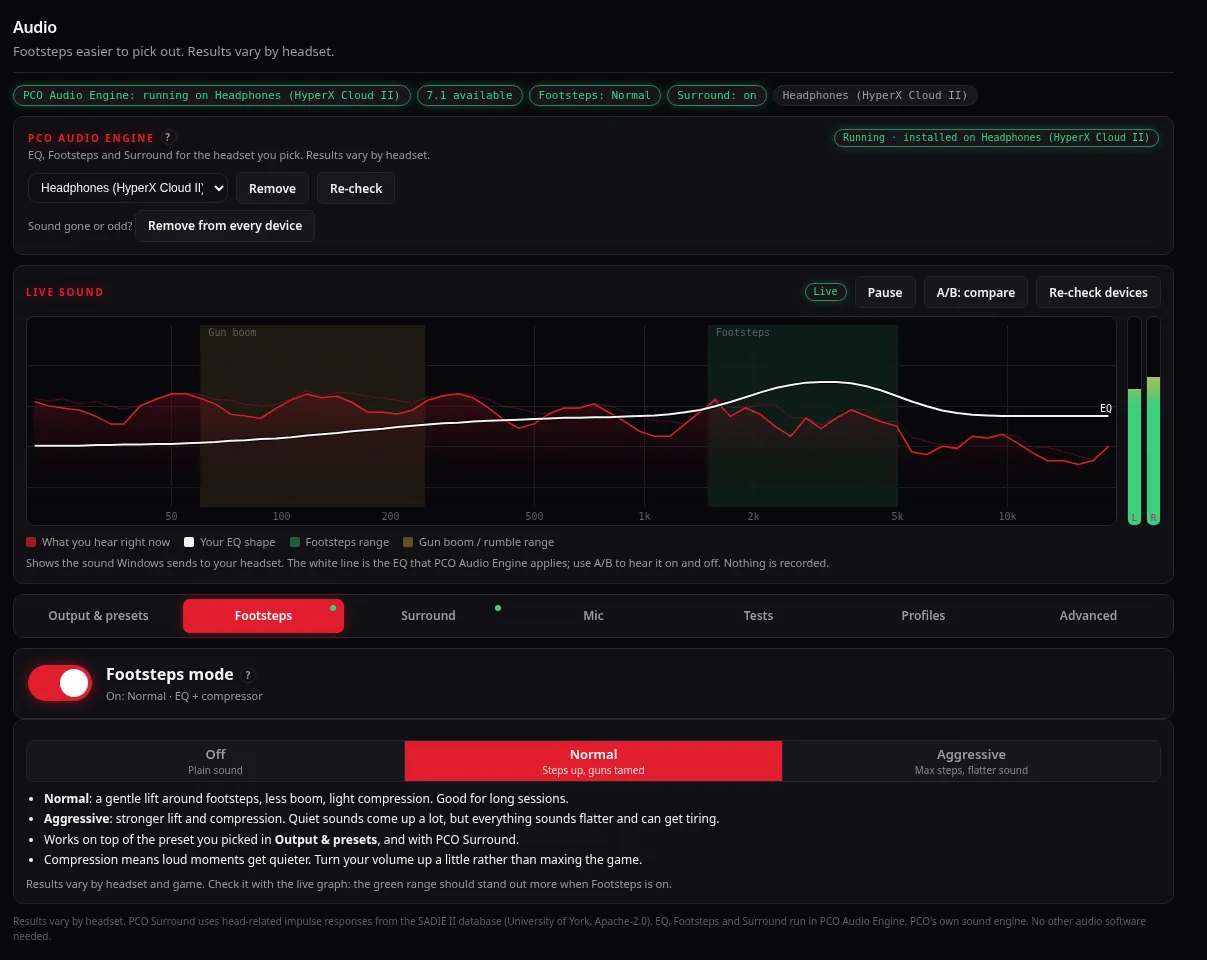
Pick Warzone in the Audio tab, choose a sound style, then press Apply mix. Footsteps mode adds an EQ lift around the footsteps range and a compressor that keeps loud gunfire and explosions from blasting.
- Warzone game preset, with Probe, Session, Night and Cast sound styles
- Footsteps mode: Off, Normal or Aggressive
- Live sound graph with the footsteps and gun-boom ranges marked, plus A/B compare
- Auto-switch: link a saved profile to Call of Duty and it's applied when the game starts
- In-app tips for Warzone's own audio settings, like Music volume and Enhanced Headphone Mode
Results vary by headset and game.
Current Warzone weapons, real builds
Switch the weapons list to Warzone to browse the current weapon pool. Each weapon card shows real builds with attachment names, plus pick rate, TTK and stat bars. Then make your own build and save it.
- Warzone and Multiplayer modes, with playstyle and class filters and search
- Weapon cards with real builds, pick rate, TTK and stat bars
- Custom builder for attachments, perks and equipment
- Share a loadout as a code, or paste a friend's code to import it
Track your Warzone camos
Tick off camos gun by gun, see each camo's unlock challenge and what's next. Progress stays on your PC, and you can share it with a code.
- Camo trackers for Warzone and Black Ops 7
- Per-weapon progress with class filters
- Share your progress with a code
One-click Windows setup for Call of Duty
PCO finds Call of Duty on your PC and applies the Windows settings gamers usually change by hand. Results vary by PC.
- Finds your installed games and sets them up in one click
- High-performance power plan, Game Mode, GPU hardware scheduling and fullscreen optimizations
- Undo Last Tune rolls back the most recent change
Straight answers.
Does the footstep audio work with my headset?
Which Warzone audio settings should I use with PCO?
Where do the Warzone builds come from?
Does PCO change game files?
Can I try it free?
Try it on your own setup.
Every key unlocks the full app. Try it free for 24 hours, or get a key from $3.
One free trial per person and PC. Requires a verified email.
No refunds once a key has been used.
Results vary by PC. Audio results also vary by headset.
Some icons and game data in PCO's Call of Duty tools come from MW4.GG, used with permission. Assets: MW4.GG(opens in a new tab)
PCO is not affiliated with Activision. Call of Duty and its game names belong to their owners.