
DMZ map hub with POIs, pins and missions
PCO's DMZ hub keeps the map and the reference info in one place: the Hajin map with POIs, compounds and Lieutenant towers, layers you can toggle and your own pins, plus bosses, missions, traits, keys, FOB upgrades, killstreaks and crafting. Pop the map out into its own window while you play.
Windows 10 or 11, 64-bit. Results vary by PC.
The Hajin map with layers and your own pins
Toggle layers to show what you need, drop your own pins, and pop the map out into its own resizable window, with F11 for fullscreen. Your pins and layers stay in sync between the two.
- POIs, compounds and Lieutenant towers
- Layer list with toggles and counts
- Your own pins
- Pop-out window, F11 for fullscreen
Bosses, missions, traits and crafting
The reference info you'd otherwise look up mid-run is in the same tab.
- Bosses and missions
- Traits and FOB upgrades
- Keys and killstreaks
- Crafting
Footstep audio for Call of Duty
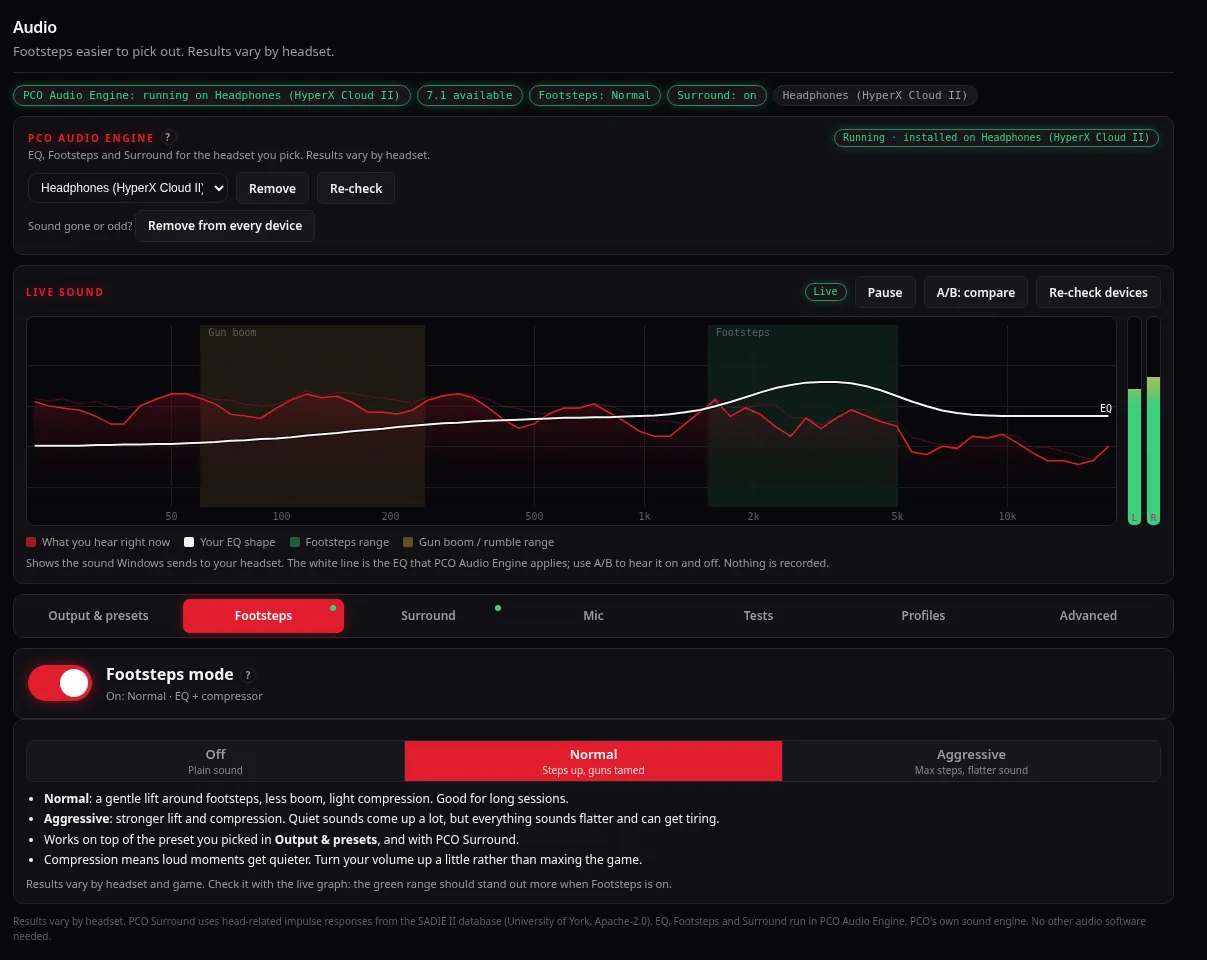
Pick Call of Duty in the Audio tab, choose a sound style and set Footsteps to Normal or Aggressive. Use A/B compare to hear it on and off.
- Footsteps mode: Off, Normal or Aggressive
- Live sound graph with the footsteps range marked
Results vary by headset.
Straight answers.
What's in PCO's DMZ hub?
Can I keep the map open while I play?
Does PCO change game files?
Can I try it free?
Try it on your own setup.
Every key unlocks the full app. Try it free for 24 hours, or get a key from $3.
One free trial per person and PC. Requires a verified email.
No refunds once a key has been used.
Results vary by PC. Audio results also vary by headset.
Some icons and game data in PCO's Call of Duty tools come from MW4.GG, used with permission. Assets: MW4.GG(opens in a new tab)
PCO is not affiliated with Activision. Call of Duty and its game names belong to their owners.