
Footstep audio presets for Valorant, Fortnite, CS2 and more
PCO Audio Engine has presets for the shooters people play most, with tips for each game's own audio settings, and switches your profile automatically when a game starts. Game auto-tune sets up Windows for your installed games in one click. Dial in your footstep audio; results vary by headset.
Windows 10 or 11, 64-bit. Results vary by PC.
Game presets and sound styles
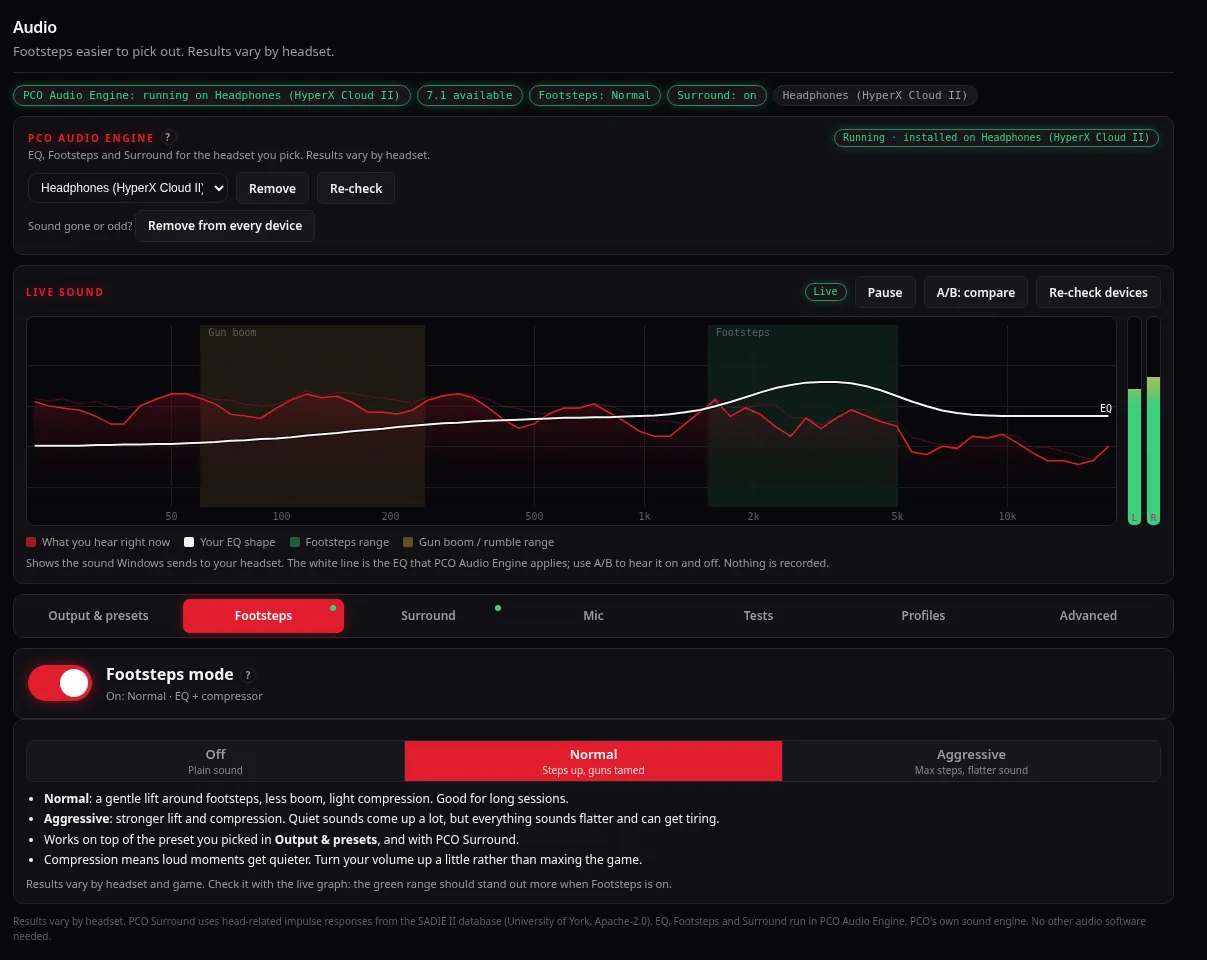
Pick your game, pick a sound style, then press Apply mix. Footsteps mode adds an EQ lift around the footsteps range and a compressor that tames loud shots, on top of the preset.
- Presets for Valorant, Fortnite, Counter-Strike 2, Apex Legends, Rainbow Six, Battlefield, Overwatch 2, The Finals, Marvel Rivals and Call of Duty
- Sound styles: Probe, Session, Night and Cast
- Footsteps mode: Off, Normal or Aggressive
- Live sound graph and A/B compare
Results vary by headset and game.
Respects each game's audio
Some games ship their own 3D sound for headphones. PCO's tips tell you how to set each game up, and PCO Surround pauses itself while CS2 and Valorant run so it doesn't fight their 3D audio.
- Valorant: HRTF on; PCO Surround pauses automatically
- Counter-Strike 2: has its own 3D sound; PCO Surround pauses automatically
- Fortnite: if 3D Headphones is on, keep PCO Surround off
- Apex Legends: sends 7.1 when Windows is set to 7.1, so PCO Surround can help
Your profile, applied when the game starts
Save a profile, then link it to a game. PCO checks about every 2 seconds; when a linked game starts its profile is applied, and when it closes your previous settings come back. Profiles can be shared with a code.
- Link profiles to games or to a headset
- Share profiles with a code
One-click Windows setup for your games
PCO finds installed games like Fortnite, Valorant, Apex, Call of Duty, GTA and Minecraft and applies the Windows settings gamers usually change by hand. Results vary by PC.
- Finds your installed games and sets them up in one click
- High-performance power plan, Game Mode, GPU hardware scheduling and fullscreen optimizations
- Undo Last Tune rolls back the most recent change
Straight answers.
Which games have audio presets?
Will it clash with Valorant's HRTF or CS2's 3D audio?
Does the footstep audio work with my headset?
Does PCO change game files?
Can I try it free?
Try it on your own setup.
Every key unlocks the full app. Try it free for 24 hours, or get a key from $3.
One free trial per person and PC. Requires a verified email.
No refunds once a key has been used.
Results vary by PC. Audio results also vary by headset.
PCO is not affiliated with any game publisher. Game names belong to their owners.